
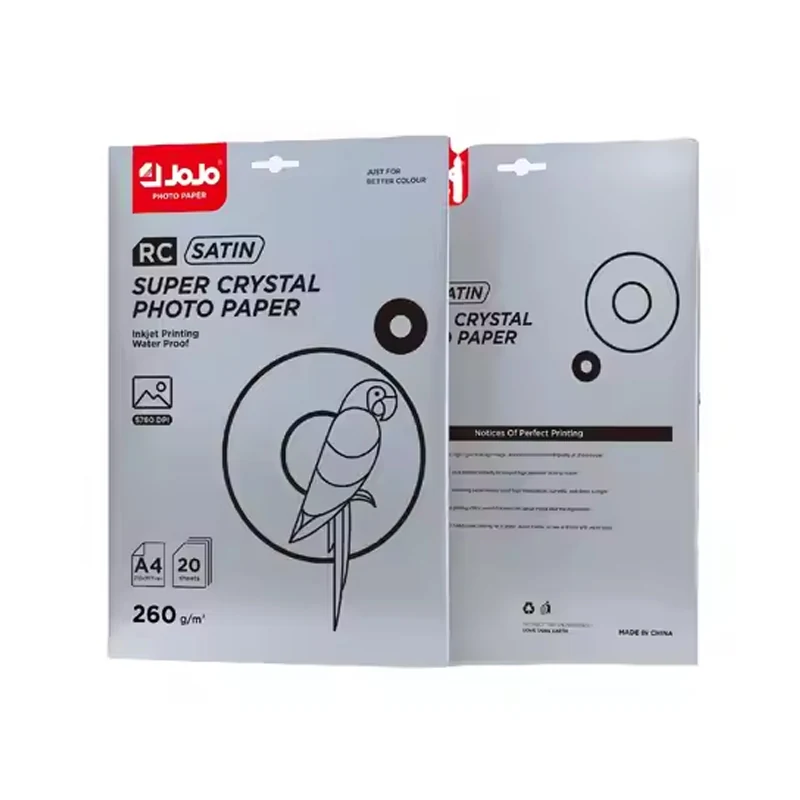
What resin coated photo paper describes
RC names a construction. Canson's explanation of RC photo paper describes a cellulose paper core with polyethylene on both sides and a microporous printing coat on top. Keep the construction and the intended printing application together when you draw up the specification.
The surface that receives the ink belongs on that specification too. Hahnemuhle's photo-paper overview describes natural cellulose and resin-coated substrates used with an inkjet coating. Read the substrate, surface and process together as you compare suppliers; RC alone leaves other selection details open.
Our paper manufacturing overview follows the general JOJO production route through raw-material preparation, coating, drying, cutting, inspection and packing.
This is an inkjet-paper buying guide. Pouring clear casting resin over a finished photograph is a separate craft process, even though both descriptions use the word resin.
Separate inkjet RC paper from darkroom paper
RC also appears in darkroom photography. Canson traces its use from silver-halide photo papers to later digital-printing adaptations. ILFORD PHOTO's darkroom paper guide describes RC and fibre-base papers with photographic emulsions. That is a different process context, and those descriptions aren't inkjet loading instructions.
Put the printing process, printer and ink system near the start of the sourcing brief. An offer headed just "photographic RC paper" doesn't settle the application. For resale records, keep the inkjet description attached to the surface and sheet size so it travels with the product information during ordering.
Choose satin or glossy with a sample comparison
Construction and finish are separate fields. In an official inkjet example, ILFORD's Satin Photo page lists RC media and a satin surface. The compatibility and performance values there apply to that product. Use the corresponding data from the supplier of the paper you're choosing.
Print the same artwork on your shortlisted samples. Include pale detail, dark areas and a smooth color transition, then compare them under the lighting and from the positions in which they'll be viewed. Note which sample meets the brief. You'll have an actual print to approve, alongside the finish name used to organize the shortlist.
Where several people sign off the choice, keep a named reference sample, artwork version and settings together. "The satin one" is less useful once that connection to a particular product has been lost.
Keep grammage, thickness, size and pack count separate
Give each measurement its own field. Gsm is weight per square meter; thickness is separate. Manufacturer data sheets such as Canson's technical specifications list the two independently. If the equipment requires a thickness figure, use separately supplied information for the selected paper.
Build the artwork, printable area and finishing around the sheet size you're buying. Similar weight doesn't establish the same format. A stated sheet size doesn't establish borderless support either, so check that against the printer requirements.
Pack count sets the quotation unit. JOJO JR-3030 is an A4 RC satin inkjet paper marked 260gsm, with 20 sheets per pack. Keep that whole description on the comparison sheet. A pack price can't be compared properly without knowing the format and sheet count behind it.
Check the printer workflow before selecting a quantity
Begin with the specific printer's manual: feed path, supported media and paper limits. Include the ink system in the review. A broad paper category plus a printer brand doesn't establish a tested combination.
For the trial, record the paper and model, printer, ink, driver media selection and artwork. Follow the equipment and media loading instructions. If the job needs printing on more than one face, check that separately; RC construction doesn't specify double-sided printing.
Keep the first trial focused. Establish a workable print and handling setup before changing the artwork, finish and other variables together. That leaves you with a sample tied to known settings, instead of a finished print whose workflow has to be reconstructed.
Build a practical sample acceptance record
Keep a concise acceptance record: intended use, product and sample identity, artwork version, settings, checks and result. Use the following fields to define the checks before your trial:
- Printed appearance: compare image detail, small text and solid printed areas against your job requirements.
- Handling: follow the supplied instructions and inspect the print after the handling planned for the job.
- Finishing: include any cutting, mounting or other process that will be used on the finished piece.
- Exposure: if moisture, cleaning or outdoor conditions matter, define those conditions and the acceptance criteria before selecting the paper.
Save the accepted sample, settings and agreed product specification. On a repeat order, that record helps separate a change in the requested paper from a change in the printing workflow. Both parties also have a concrete reference if a later sample looks different.
Plan storage and post-print handling
The media and printer instructions should stay with the job. As a handling reference, Epson recommends returning unused paper to its original package, away from heat, humidity and direct sunlight. Keep the sample identification with the stored paper.
For a drying, finishing or moisture requirement, specify the workflow and assess the chosen paper and ink against it. An RC label doesn't provide a drying schedule or a finished-print durability rating. Base the decision on a sample accepted under the conditions your order needs.
Match a JOJO product to the buying brief
The A4 satin RC option is JR-3030 RC satin photo paper: 260gsm, 20 sheets per pack. Keep the model on the quote request with those details so they continue to identify the same product.
For glossy printing on two faces, compare JB-1029 300gsm photo paper, an A4 double-sided glossy sheet with 50 sheets per pack. The adhesive format is JS-3016-1 self adhesive glossy photo paper: A4 inkjet media marked 115gsm, also 50 sheets per pack. Keep these identities distinct. Don't assign JR-3030's RC description to the other models.
Bring the details into one quote request: model, printing process, surface, size, number of packs, destination and finishing or exposure requirements. Compare offers on that basis, with supply terms separate. An agreed order quantity can't be replaced by a carton-packing figure.
Questions about RC photo paper
What is photo paper made of?
That depends on the product and printing process. Inkjet media use different substrates and coatings. Canson describes RC paper as a cellulose core with polyethylene layers and a printing coat. Use the particular product description to identify the paper you're considering.
What is the size of 4x6 photo paper?
Four by six is a nominal size in inches. ILFORD's sheet-size table lists it separately from A4; the JOJO JR-3030 option here is A4. Keep the requested size explicit in pack comparisons.
Is every RC paper intended for inkjet printing?
No. Darkroom photographic papers also use the abbreviation. Specify inkjet media and check the product's printing process, printer requirements and ink system before selecting it.
Does RC guarantee a waterproof finished print?
RC construction alone doesn't establish that exposure rating. For a moisture application, define the conditions and acceptance requirements, then evaluate the selected paper, ink and finishing workflow against them.