
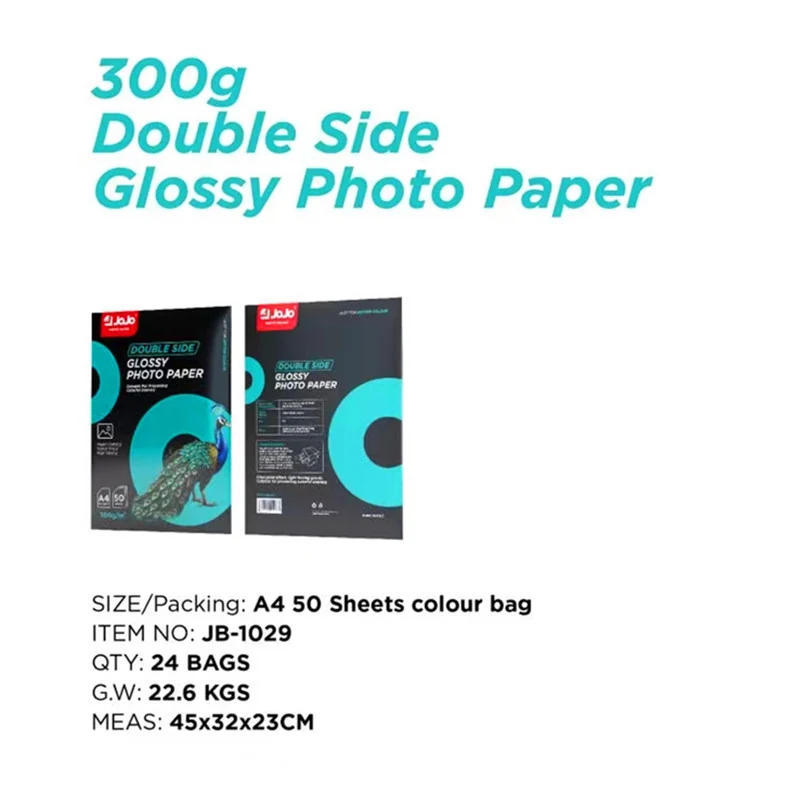
A4 sheets for two-sided image layouts
For JB-1029, put the whole format on the purchase specification: A4, glossy on both faces, 50 sheets per pack. Include the model and printing sides with the size and surface. A quotation headed only "300gsm" leaves too much open.
If you're planning a two-sided portfolio insert or presentation, use the actual front and reverse artwork for the first trial. Look at the two faces together. Check image placement and trim space, and include any scoring or folding in the trial before committing the artwork to a production run.
Read 300gsm as weight, then check the feed requirements
Gsm expresses paper weight per square meter. That definition is explained in Hahnemuhle's paper-weight guide. Thickness is a separate specification: manufacturer data sheets such as Canson's technical specifications list weight and thickness independently. Don't convert 300gsm into a thickness value for your printer setup.
Before loading, check your printer's media instructions for the feed path, sheet size and paper limits. The weight setting isn't enough to establish that a particular sheet can be transported. Write the printer model and paper settings on the sample record; a photograph alone won't let you repeat the setup.
Evaluate both printed faces
Double-sided paper and automatic duplexing are separate choices. The former describes the sheet; the latter is a printer function. Need to refeed manually? Establish the orientation with a marked test layout before printing your finished artwork, following the printer's handling and reloading instructions.
Put a solid image area, a lighter photograph and small text on the sample layout. After the second pass, examine the reverse and check alignment against the trim. Use these as acceptance checks for your job, with drying and reloading handled according to the applicable instructions. Keep the accepted sample and settings for later comparisons.
Compare the specification that changes your job
If the key choice is the surface rather than two-sided presentation, compare this sheet with JR-3030 RC satin photo paper. That product is A4, 260gsm and supplied as a 20-sheet pack. Compare the finish, weight and pack count on separate lines. A pack price alone won't tell you which offer fits the job.
For the meaning of the RC construction term, see our resin coated photo paper buying guide. Keep paper descriptions and printer recommendations separate as you make the selection. A surface name can't supply a missing printer specification.
Plan pack quantities and handling
Work out quantities from the 50-sheet pack. Compare offers on the same basis: packs, total sheets and delivery terms. For a trial followed by a larger run, include your planned setup and finishing tests in the sheet calculation.
Keep unused sheets in their packaging between trials. Epson's media-handling guidance recommends returning unused paper to its original package and avoiding heat, humidity and direct sunlight. Use the storage and handling instructions supplied for your selected media and printer when setting up your work area.
Request a JB-1029 quotation
For a quotation, send JB-1029, your number of A4 50-sheet packs, the delivery destination and packing requirements through our quote request form. Add the printing and finishing workflow where it affects selection. Check that the quotation states the agreed quantity and supply terms.
Questions about JB-1029
Can both sides of JB-1029 be printed?
JB-1029 is double-sided glossy photo paper. Check your printer's instructions for the feeding and refeeding process, and evaluate both faces with your artwork before a production run.
Is 300gsm the sheet thickness?
No. It is a weight-per-area value. Use a separately stated thickness specification if your printer's media limits require one; don't infer it from the gsm figure.
How many sheets are in a pack?
The JB-1029 A4 pack contains 50 sheets. Specify the number of packs when requesting a quotation so the quantity basis stays clear.
Does double-sided paper guarantee automatic duplex printing?
It doesn't. The paper's two glossy faces and the printer's duplex function are separate features. Check the printer manual and test the proposed workflow.